If you’re planning to start a career in automation testing, one of the biggest challenges is knowing where to begin and what to learn next. There are so many tools, languages, and frameworks that it’s easy to feel overwhelmed.
The truth is, automation testing isn’t just about learning a tool like Selenium or Playwright. It’s a combination of testing knowledge, programming skills, and understanding how modern software systems work. This automation testing roadmap is designed to guide you step by step, starting from the basics and gradually moving toward advanced, industry-level skills.
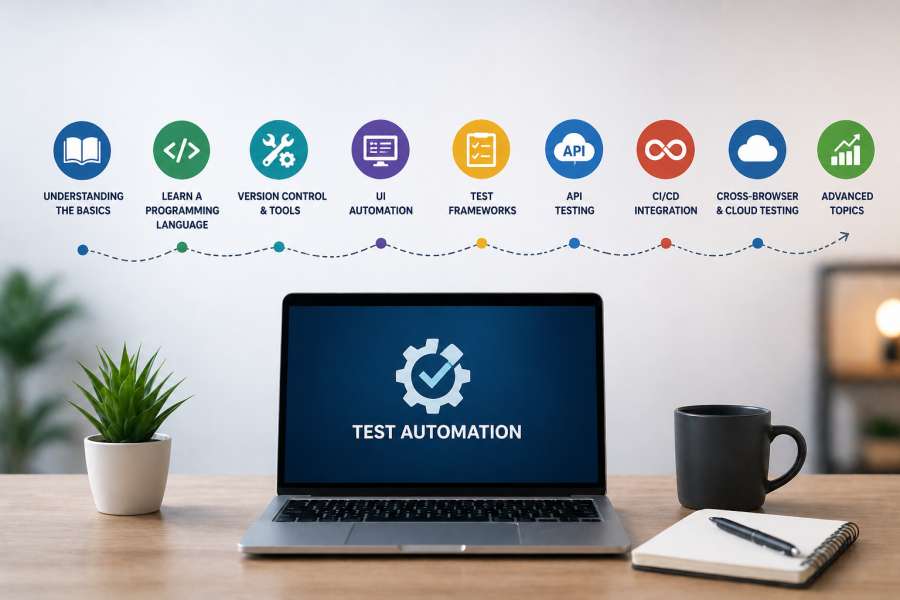
1. Understanding the Basics (Beginner Level)
Before writing a single line of automation code, it’s important to understand what testing actually is. Many beginners rush directly into tools, but without a strong foundation, things quickly become confusing.
What is Automation Testing?
Automation testing uses scripts and tools to execute test cases automatically, reducing manual effort and improving efficiency.
Key Concepts You Must Know About Testing During Your Automation Testing Roadmap Journey
- SDLC (Software Development Life Cycle)
- Phases of SDLC
- Models of SDLC: Waterfall, Spiral, V-Model, Agile
- STLC (Software Testing Life Cycle)
- Phases of STLC
- Entry and Exit Criteria
- Test Planning, Design, Execution, and Closure
- Types of Testing:
- Functional Testing
- Non Functional Testing
- Regression Testing
- Smoke & Sanity Testing
- Integration Testing
- System Testing
- User Acceptance Testing (UAT)
- Test Cases vs Test Scenarios
- Identify the Feasible Test Scenarios
- Writing Test Cases for Identified Test Scenarios
- Test Case Design Techniques
- Test Data Preparation
- Bug Life Cycle
- Defect Reporting
- Defect Tracking
- Defect Management Tools
- Agile and Scrum Methodologies
- Basics of Agile Methodology
- Scrum Framework
- Role of a Tester in Agile Projects
Understanding how to write good test cases, how bugs are reported, and how they move through a lifecycle is equally important. These concepts might seem basic, but they are the backbone of everything you will do later in automation.
Goal: Build strong testing fundamentals before touching automation tools.
2. Learn a Programming Language for Automation Testing
Automation testing becomes much easier once you’re comfortable with at least one programming language. You don’t need to become a hardcore developer, but you should be confident enough to write logic and understand code.
Popular Choices:
- Java – Java has been the traditional choice, especially with Selenium
- Python – Python is beginner-friendly and easy to read
- JavaScript – JavaScript is gaining popularity with modern tools like Cypress and Playwright.
What to Learn:
- Variables declaration
- Basic Syntax
- Data Types and Structure
- Access Modifiers
- Operators
- Loops, Conditions
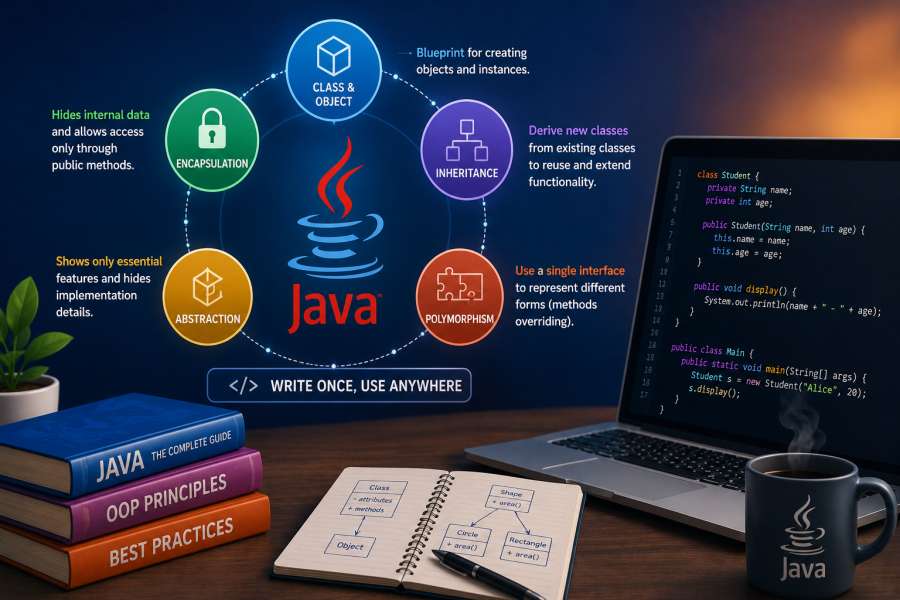
- OOP concepts (very important)
- Class
- Functions/methods
- Abstraction
- Inheritacne
- Polymorphism
- Encapsulation
- Arrays
- Exception handling
Tip: Don’t aim for mastery—just enough to write clean automation scripts.
3. Learn about Version Control & Basic Tools
Before automation frameworks, learn essential tools.
Must-Know Tools:
- Git (version control) – Learning Git is essential because it allows you to manage code changes, collaborate with teams, and maintain a history of your work.
- GitHub / GitLab / Bitbucket – Platforms like GitHub or GitLab or Bitbucket are commonly used in the industry. Even a basic understanding of pushing code, creating branches, and resolving conflicts will make a big difference in your workflow.
4. Start with UI Automation
Once your basics are clear, you can finally step into automation tools. This is where things start getting practical and exciting.
Selenium WebDriver is one of the most widely used tools for web automation. It allows you to interact with web elements like buttons, input fields, and links through code. You’ll learn how to locate elements using strategies like ID, XPath, and CSS selectors, and how to handle real-world scenarios such as dropdowns, alerts, frames, and multiple browser windows.
The main objective at this stage is to automate simple user flows on web applications and understand how automation actually works in practice.
5. Test Frameworks (Intermediate Level)
Writing individual scripts is not enough when you work on real projects. You need a structured way to organize and execute your tests, and that’s where test frameworks come in.
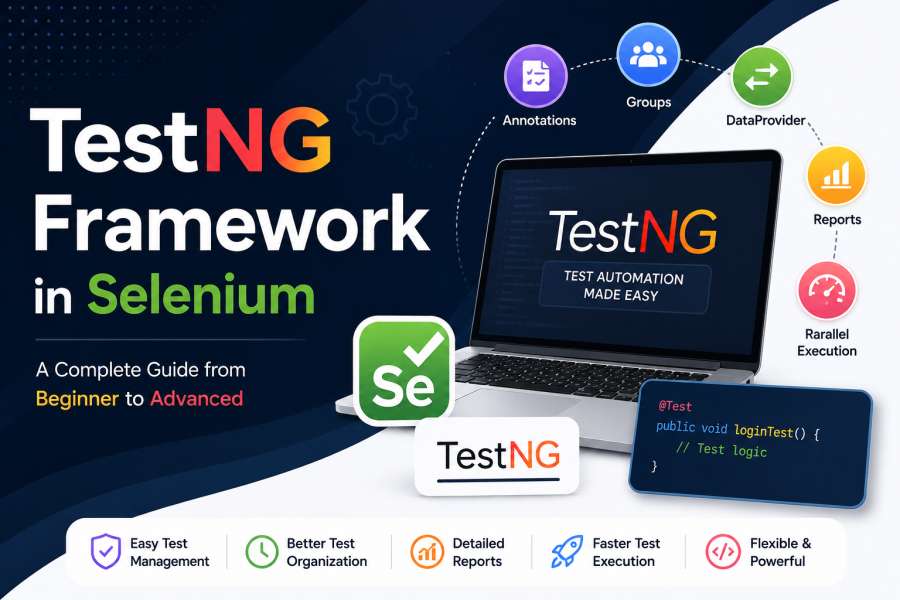
Frameworks help you manage test execution, assertions, and reporting. You’ll learn how to group tests, run them in sequence or parallel, and validate expected outcomes.
Popular Frameworks:
- TestNG / JUnit (Java)
- PyTest (Python)
- Mocha/Jest (JavaScript)
This stage introduces you to concepts like annotations, test suites, and assertions, which are essential for building reliable test automation.
6. Build Automation Frameworks
As you gain confidence, the next step is to move from writing scripts to designing frameworks. This is where you start thinking like an automation engineer rather than just a tester.
Types of Frameworks:
- Data-Driven and Keyword-Driven Framework – Allow you to run the same test with multiple data sets or reusable actions.
- Hybrid Framework – Hybrid Framework is a software testing approach that combines multiple frameworks. Like data-driven, keyword-driven, and modular testing into a single, flexible structure.
- Page Object Model (POM) – POM helps you separate test logic from page structure, making your code cleaner and easier to maintain.
Goal: Create a scalable, reusable, and maintainable code.
7. API Testing (Very Important)
Modern applications rely heavily on APIs, and automation testers are expected to validate them as well. API testing is faster than UI testing and often more reliable, which makes it a critical skill.
Tools:
- Postman (Beginner)
- REST Assured (Java)
- Requests (Python)
Learn:
- API Fundamentals
- Core Concepts – Understanding Client-Server architecture
- HTTP methods (GET, POST, PUT, DELETE)
- Status codes (2xx, 4xx, 5xx)
- Data Formats – JSON and XML request/response structures.
- JSON parsing
- API Basics
- Request Building – Adding query parameters, path variables, and configuring request headers.
- Environments – Manage different Environments like Dev, QA, and Production.
- Automation & Scripting
- Setting dynamic values or clearing data before a request is sent.
- Writing assertions to validate status codes, response times, and body content.
- API Chaining – Passing data from the response of one request (e.g., an authentication token) to the next.
- Executing a series of requests automatically to perform regression or functional testing.
- Advanced Testing Techniques
- Data-Driven Testing – Using external CSV or JSON files to run tests against multiple data sets.
- Authentication – Implementing various methods like API Keys, Basic Auth, Bearer Tokens, and OAuth 2.0.
- CLI & CI/CD Integration
- CI/CD Pipelines – Integrating tests into tools like Jenkins, GitHub, or GitLab.
- Reporting – Generating HTML, JSON, or JUnit test reports
Mastering API testing significantly increases your value as an automation engineer.
8. CI/CD Integration (Advanced Level)
Automation testing becomes truly powerful when it is integrated into a Continuous Integration and Continuous Deployment (CI/CD) pipeline.
Tools:
- Jenkins
- GitHub Actions
- GitLab CI
These tools allow you to run your automated tests automatically whenever code changes are made. This ensures that bugs are caught early and software quality is maintained throughout development.
At this stage, you’ll learn how to trigger test runs, schedule executions, and generate reports as part of a pipeline.
9. Cross-Browser & Cloud Testing
In the real world, users access applications from different browsers and devices. Testing everything locally is not practical, which is why cloud platforms are widely used.
Tools:
- BrowserStack
- Sauce Labs
These tools allow you to run your tests on multiple browsers, operating systems, and real devices without setting up complex environments.
This helps ensure that your application works consistently for all users, regardless of their setup.
10. Advanced Topics
Once you’ve covered all the core areas, you can start exploring advanced topics that make you stand out.
Learn:
- Docker – Docker helps you create consistent and reliable test environments by packaging your application and its dependencies into portable containers that run the same way across different systems.
- Performance Testing – Tools like JMeter or k6 help you analyze how your application performs under heavy load and high user traffic, allowing you to identify bottlenecks and ensure system stability.
- Security Testing basics – A foundational understanding of security testing is valuable in today’s landscape.
- Headless testing – Use headless browsers to run tests faster.
- Parallel execution optimization – Improve execution speed by running tests in parallel.
11. Best Practices
- Write clean, readable code
- Use proper naming conventions
- Avoid hardcoding
- Keep tests independent
- Maintain reusable functions
- Focus on stability over quantity
12. Real-World Project (Must Do)
No roadmap is complete without practical experience. Building a real-world project is one of the most important steps in your journey.
Try to create a complete automation solution that includes:
- UI Testing
- API Testing
- Structured Automation Framework with POM
- CI/CD integration
- Reporting
Make your project presentable on GitHub.
This not only strengthens your understanding but also becomes a strong portfolio piece when applying for jobs.
13. Common Mistakes to Avoid
- Jumping to tools without basics
- Ignoring programming fundamentals
- Writing flaky tests
- Not learning debugging
- Avoiding real-world projects
14. Final Thoughts
Automation testing is not something you master overnight. It’s a gradual process that involves learning, practicing, and improving continuously.
Instead of chasing too many tools at once, focus on building strong fundamentals and progressing step by step. With consistent effort, you can move from a beginner to a job-ready automation tester in a matter of months.
The key is simple: learn deeply, practice regularly, and build something real.

I’m Nishant Temburnikar, a Software Testing Engineer with 7.5+ years of experience in automation testing and quality engineering. Through CodeToAutomate, I shares practical tutorials, real-world testing insights, and interview preparation resources to help testers build their automation skills and grow their careers.