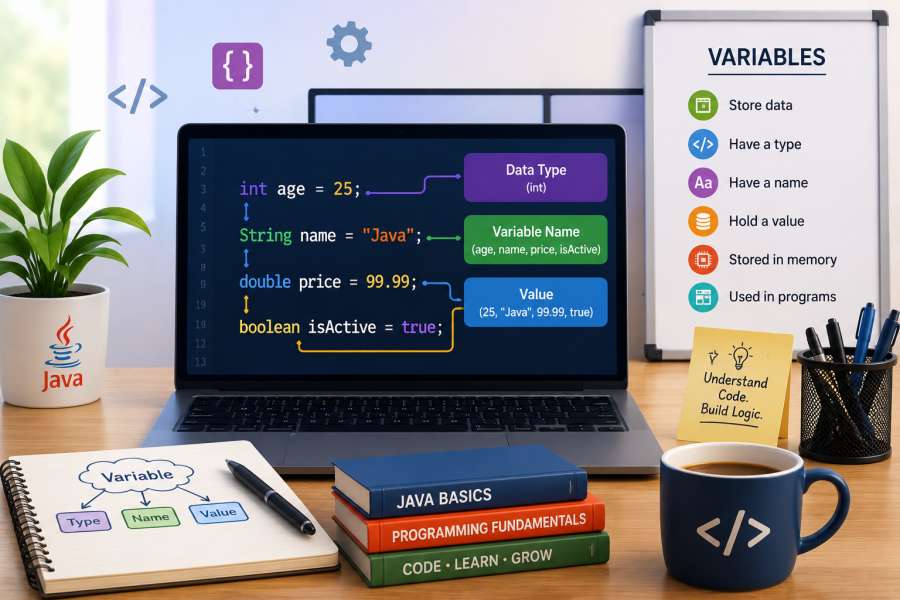
If you’re new to Java, you might have heard the term “variable”. Variables might seem like a technical term at first, but they are one of the simplest and most important things to get in programming.
Imagine a calculator app. Whenever you enter numbers, the application needs somewhere to temporarily store those values before it can do calculations. And that is exactly what variables do. They provide a way for programs to store and manage data used by the application while it is running.
Variables are all over the place, whether you are building a simple Java program or a large enterprise application. They store user data, perform calculations, manage application settings, and a lot more.
In this article you will learn what are variables in Java, why they are important, the different types of variables, and how to use them effectively in your code.
What Are Variables in Java?
In Java programming language, a variable is considered a named memory storage where information is saved. The value of a variable may change during the execution of a program; therefore, it is referred to as a variable.
For example:
int age = 25;In this example:
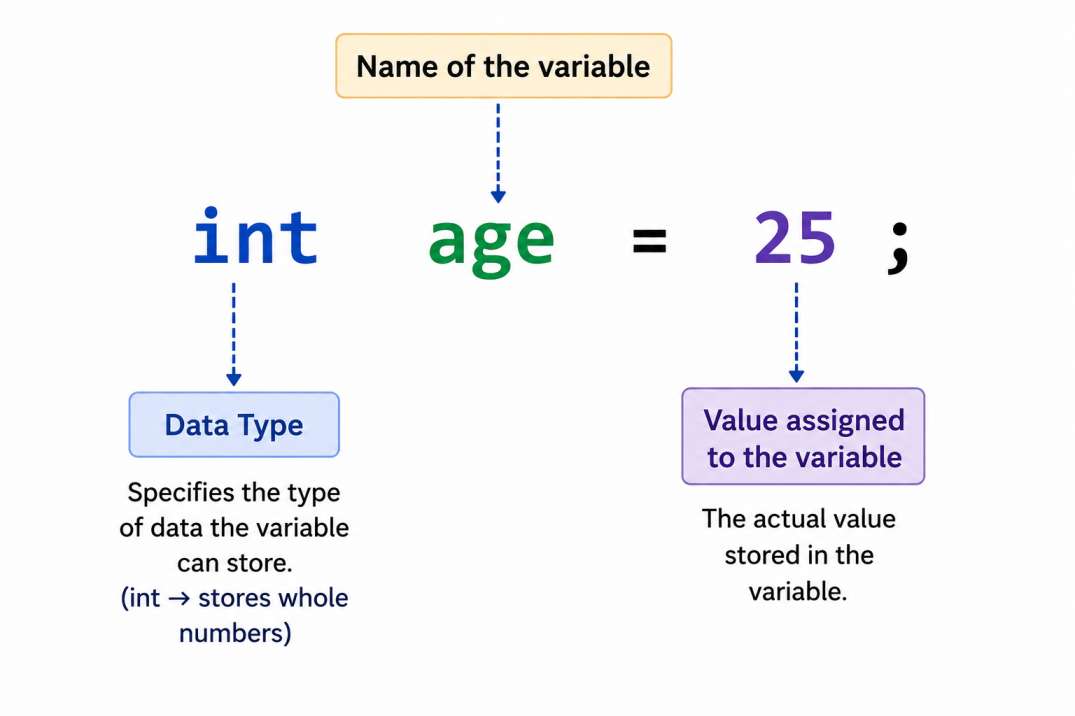
Think of a variable as a box with a label. This label is useful for you to identify value you stored if you want to use it later in the program.
Why Variables Are Important?
Without variables, programming would be very hard. Every time you need a value, you’d have to enter it manually.
Variables make programs:
Easier to read
Instead of writing numbers over and over, you can store them in meaningful variables.
double productPrice = 499.99d;The name of the variable makes it clear what the value is.
Simpler to maintain
If a value changes you have to change it in a single place.
More dynamic
Variables enable applications to react to user input and changing conditions.
For example:
- Login application remember usernames and passwords.
- Shopping application keep track of product prices and quantities.
- Banking systems store account balances and transaction details.
Variables are heavily used in all modern applications.
How to Declare a Variable in Java
Declaring a variable means creating it so Java knows it exists.
Syntax for declaring a variable is:
dataType variableName;Example:
int marks;Here, Java creates a variable called marks that can store integer values.
Initializing a Variable
Initialization means assigning a value to a variable.
int marks = 90;This statement both declares and initializes the variable.
Types of Variables in Java
The variables can be categorized by data type and scope. Knowing about these classifications will help you in selecting the right variable for various programming situations.
Types of Variables by Data Type
Integer Variables (int)
Used to store whole numbers (no decimal places) such as 10 , -5 and 100 .
Floating Point Variables (float/double)
Used to store numbers with decimal points (such as 3.14 , 99.99 , or −0.75).
Character Variables (char)
Used to store a single character. Eg ‘A’ or ‘B’ or ‘z’.
Char values are surrounded by single quotes.
String Variables (String)
Used to store a sequence of characters or text, such as “Hello World” or “Java.”
String values are surrounded by double quotes.
Boolean Variables (bool)
Can only store two values (true or false), so they’re useful for conditional logic & decision-making.
Types of Variables by Scope
Variables can also be classified on the basis of declaration location and the way of accessing a variable in a program in Java.
Local Variable
Local variables declared within a method, constructor, or block. They are only accessible within the method, constructor, or block in which they are declared and they exist only while that block of code is executing.
public void display() {
    int age = 25; //Local variable
}Instance Variables
An instance variable is declared within the class but not within a method, constructor, or block. There will be a separate instance variable for each object of that class.
public class Student {
    String name; //Instance variable
}Static Variables (Class Variables)
A static variables must be declared with the static modifier. The core difference between static variables and instance variables is that all objects of the same class share one unique static variable instance.
public class Student {
    static String schoolName = "CTA School"; //Static variable
}Naming Rules for Variable in Java
When declaring variables in Java, you must follow certain naming rules to ensure that the code is valid and effectively improve code readability.
1. Variable names can include letters, numbers, dollar signs, and underscores.
A variable name can include:
- Alphabates (a-z, A-Z)
- Numbers (0-9)
- Underscore (_)
- Dollar sign ($)
Valid Examples:
int age;
String firstName;
double salary123;
int _count;
int $price;2. Variable names cannot begin with a number
A variable name must begin with a letter, underscore (_), or dollar sign ($).
Invalid Examples:
int 1age;
String 123name;Correct Examples:
int age1;
String name123;3. Variable names cannot have spaces in them
Java does not allow spaces in variable names.
Invalid Example:
String first name;Correct Example:
String firstName;4. Keywords in Java cannot be used to name a variable.
Reserved keywords such as int, class, public, and static cannot be used as variable names.
Invalid Examples:
int class = 10;
String public = "Java";5. Variable names are case-sensitive
Java treats uppercase and lowercase letters differently.
int age = 25;
int Age = 30;In this example, age and Age are considered two different variables.
6. Use camel case for naming variable
Java developers typically use camelCase for variable names.
Recommended:
String firstName;
int employeeAge;
double accountBalance;Not Recommended:
String First_Name;
int EMPLOYEE_AGE;7. Use descriptive variable names.
Choose descriptive names that clearly indicate the purpose of the variable.
Good Examples:
int studentAge;
double productPrice;
String customerName;Poor Examples:
int a;
double x;
String s;Real-World Example of Variables
Suppose you are working on an online purchasing program.
You might require variables like:
String productName = "Laptop";
double productPrice = 59999.99;
int quantity = 2;
boolean inStock = true;All these variables hold data that your program needs to perform operations on it.
Without variables, dealing with data will become very hard.
Common Mistakes Beginners Make
It is easy to learn about variables, but there are some errors that beginners make.
Making Use of Variables before Declaration
int number;
System.out.println(number);The above piece of code will lead to an error due to undeclared variables.
Use of Inappropriate Variable Names
int a;
int b;Such codes are hard to understand when looking back at them in future.
Declaring Wrong Type for the Variables
int age = "Twenty";This will result in a compile-time error.
Tips for Using Variables Effectively
If you’re serious about becoming a Java programming, keep these tips in mind:
- Always initialize variables before use.
- Choose meaningful variable names.
- Use the correct data type.
- Limit variable scope whenever possible.
- Follow Java naming conventions consistently.
These simple habits will improve both code quality and readability.
Conclusion
Variables are one of the basic concepts in Java programming. They allow you to store, manage, and manipulate data in an application. Whether you’re saving a user’s name, calculating a total price, or keeping track of application settings, variables enable programs to handle changing information.
As you keep learning Java, you’ll see that variables appear in almost every line of code you write. Knowing how they function is the first step to becoming a confident Java developer.
Start practicing by building small programs that use different types of variables. The more you work with them, the more comfortable you’ll become with Java programming.

I’m Nishant Temburnikar, a Software Testing Engineer with 7.5+ years of experience in automation testing and quality engineering. Through CodeToAutomate, I shares practical tutorials, real-world testing insights, and interview preparation resources to help testers build their automation skills and grow their careers.